How to Download Diwa Games: Step-by-Step Complete Guide for All Devices
Description
Online gaming has evolved rapidly, and players today want instant access to high-quality entertainment without long installation queues or complicated setups. If you are wondering how to download Diwa games safely on your mobile phone or computer, this ultimate guide covers everything you need to know from start to finish.
The bestdiwaapp.com platform is designed for seamless, cross-device casual entertainment. Whether you want to enjoy high-speed 3D car racing, master the precision of Arrow Hit and Arrow Go, test your virtual reflexes in animal hunting, or roll dice in classic Ludo, learning how to download Diwa games will help you jump straight into the action with zero hassle.
Why Learn How to Download Diwa Games on Your Device?
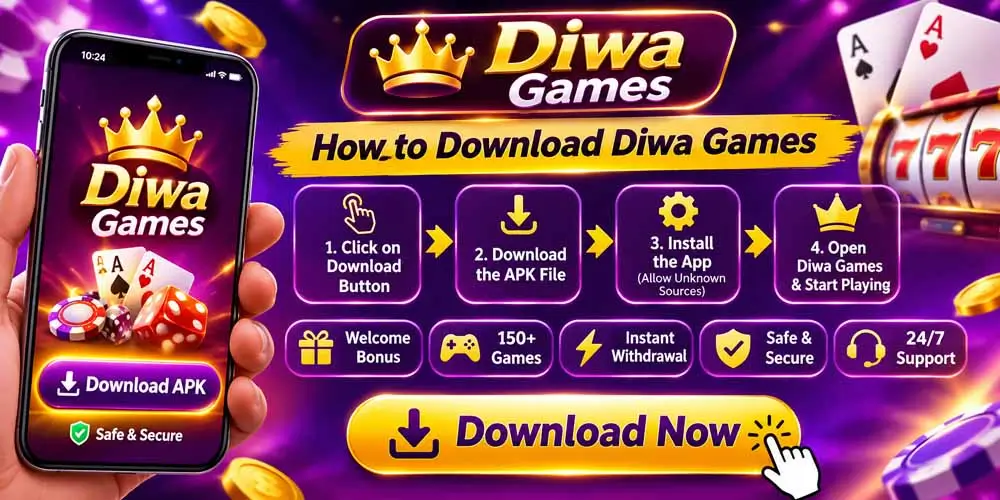
Before diving into the steps, it helps to understand why millions of casual gaming enthusiasts seek out our platform:
- Instant Access to 3D Games: Play lightweight yet visually stunning games directly on your device.
- 100% Free Casual Entertainment: All titles are built strictly for fun, family entertainment, and personal skill improvement with zero monetary barriers.
- Safe and Secure Installation: We follow clean web and app protocols that keep your device secure from malware, unwanted pop-ups, or invasive background processes.
- Two Flexible Ways to Play: You can either play instantly inside any web browser (no storage needed) or install the progressive web app (PWA) on your home screen for quick single-tap access.
Method 1: How to Download Diwa Games on Android Devices (Official Way)
Android users can easily set up Diwa Game either via direct web app installation or by accessing our optimized mobile portal. Follow these simple steps:

Step 1: Open Your Mobile Browser
Launch Google Chrome or any modern web browser on your Android smartphone.
Step 2: Visit the Official Portal
In the browser address bar, type bestdiwaapp.com and press enter. Always make sure you are on the authentic official domain to ensure clean and safe gaming.
Step 3: Choose Your Favorite Game
Browse through our wide catalog of trending titles—including 3D Car Racing, Arrow Go, Bird Hunting, Carrom, and Ludo. Click on the game thumbnail you wish to play.
Step 4: Add to Home Screen (Instant App Experience)
To keep the game on your phone just like a regular downloaded app without using up your storage:
- Tap the three vertical dots (Menu) in the top right corner of Chrome.
- Select “Install App” or “Add to Home Screen”.
- Confirm the prompt by tapping “Add”.
Now, a dedicated Diwa Game icon will appear on your phone’s app drawer and home screen. Whenever you tap it, your favorite game launches full-screen instantly!
Method 2: How to Download Diwa Games on iPhone and iPad (iOS Guide)
Apple iOS devices support web applications smoothly via Safari. If you are an iPhone user, here is how to download Diwa games directly to your home screen:
Step 1: Launch Safari Browser
Open the native Safari browser on your iPhone or iPad.
Step 2: Navigate to bestdiwaapp.com
Type bestdiwaapp.com into Safari’s search bar and load the homepage.
Step 3: Tap the Share Button
At the bottom of your Safari screen, tap the Share icon (a square with an upward-pointing arrow).
Step 4: Select “Add to Home Screen”
Scroll down through the sharing options and tap “Add to Home Screen”.
Step 5: Name and Save
A prompt will appear showing the Diwa Game logo. Tap “Add” in the top-right corner. The shortcut will now sit gracefully on your iOS home screen, ready for one-tap gaming.
Method 3: How to Download Diwa Games on PC and Laptops (Windows & Mac)
Playing 3D games and classic board games on a larger computer screen gives you an immersive visual experience with precise keyboard and mouse controls.
Step 1: Open Your Desktop Browser
Launch Chrome, Edge, Brave, or Firefox on your computer.
Step 2: Visit bestdiwaapp.com
Navigate to bestdiwaapp.com.
Step 3: Create a Desktop Shortcut / PWA App
- In Google Chrome or Microsoft Edge, look at the right side of the address bar. You will see an “Install” icon (a small computer screen or down-arrow icon).
- Click it and select “Install”.
- The game portal will now open in its own clean desktop window, free from browser toolbars, just like a native computer program.
System Requirements for Smooth Gameplay
One of the greatest advantages when you explore how to download Diwa games is how lightweight our ecosystem is. You do not need expensive gaming setups:
| Device Type | Minimum Requirements | Recommended Setup |
|---|---|---|
| Android | Android 7.0+, 2GB RAM | Android 10+, 4GB RAM, 4G/WiFi |
| iPhone/iPad | iOS 12.0 or later | iOS 14+ with Safari or Chrome |
| PC/Laptop | Any dual-core CPU, 4GB RAM | Windows 10/11 or macOS, updated Chrome |
| Storage Needed | Less than 5 MB | Zero storage needed for instant browser play |
Helpful Tips for the Best Gaming Experience
After learning how to download Diwa games, keep these handy performance tips in mind for lag-free fun:
- Keep Your Browser Updated: Updated browsers ensure the latest WebGL graphics engine runs at 60 FPS (frames per second).
- Close Heavy Background Apps: If playing intensive 3D racing titles on a budget smartphone, closing heavy social media apps frees up RAM for buttery-smooth action.
- Use Stable Internet: While the games load rapidly, a steady Wi-Fi or 4G/5G connection ensures continuous progress saving and smooth level transitions.
- Bookmark Your Favorites: Bookmark bestdiwaapp.com so you can quickly return whenever you need a quick mental break or entertainment burst.
Frequently Asked Questions About How to Download Diwa Games
Is it 100% free to download Diwa games?
Yes. All games on bestdiwaapp.com are completely free to play, stream, and install on your home screen with zero hidden charges or subscription fees.
Do I need to download heavy APK files?
No. You do not need to download risky third-party APKs that consume gigabytes of storage. Our progressive web technology allows you to install lightweight web apps directly from the browser safely.
Are Diwa games safe from viruses and malware?
Yes. Playing directly through secure HTTPS protocols on bestdiwaapp.com ensures your device stays protected from harmful software and intrusive downloads.
Can I play Diwa games with friends?
Yes. Multiplayer and turn-based games like Ludo and Carrom allow you to challenge friends locally or play alongside family members on the same device.
Conclusion: Start Playing Your Favorite Games Today!
Knowing how to download Diwa games gives you immediate access to a world of thrilling 3D action, strategic board games, and relaxing casual challenges. There are no complicated steps, no storage headaches, and no barriers to entry.
Visit bestdiwaapp.com today, follow the simple installation steps for your device, and dive into endless hours of safe, family-friendly digital entertainment!
Faq Schema
What's new
Fully New Diwa Game 2026